How to Use our Platform as a Coach
Messaging
A client is able to message you with questions before they book a service or you or the client can message after a session is booked for further coordination etc. Routine communication with clients should remain on Coachazo. Use platform messaging for scheduling, training questions, equipment needs, locations, weather, and follow-up.
Phone communication may be appropriate for an emergency or urgent day-of coordination, but bookings and payments must remain on Coachazo. Additionally, any files sent over messaging should be relevant or appropriate. Your coaching account can be deactivated for inappropriate use of the messaging platform.
Our Story in Pictures
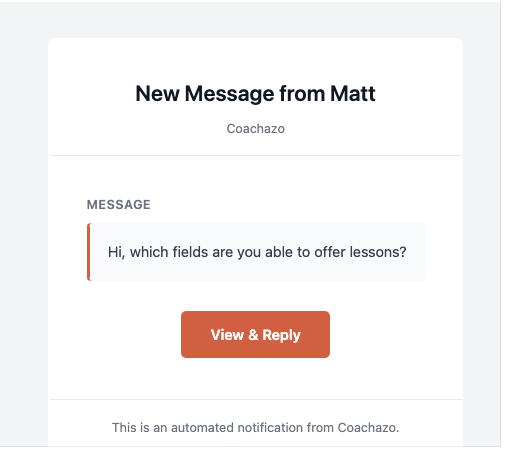
Email to coach with pre-booking message from a prospective client.
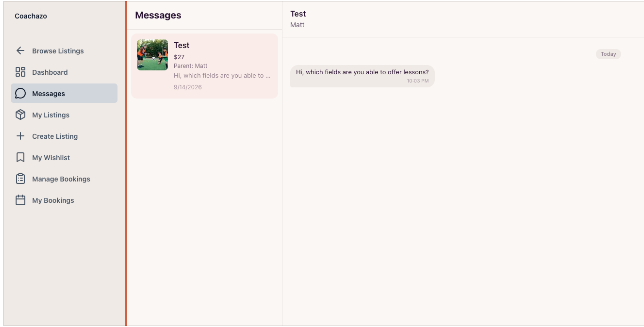
Client messaging from your online dashboard.
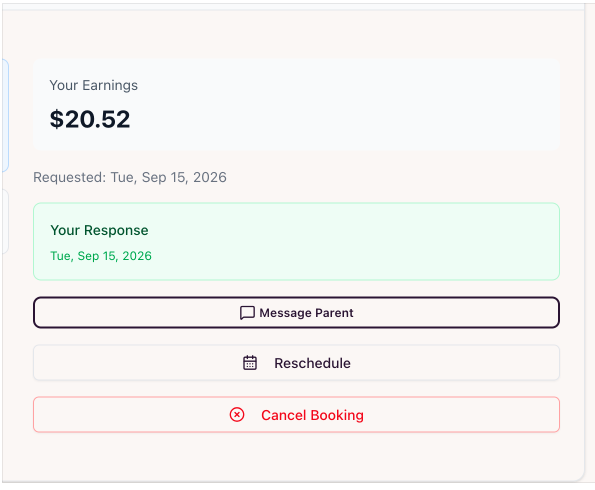
You can also directly message the parent through the platform at any time.
About Our Company
Accepting Bookings
Coachazo does not require a minimum number of available hours or sessions each week. You should keep your availability current so families can request times you are actually able to coach. You can add, delete, or update your availability on your calendar at any time. You are never required to accept every request, but you should respond to new inquiries and booking requests within 24 hours whenever possible.
When a family requests a lesson:
1. You receive the booking request and can review the session details.
2. Accept the booking if you can provide the session.
3. Once accepted, the family will complete payment
Our Story in Pictures
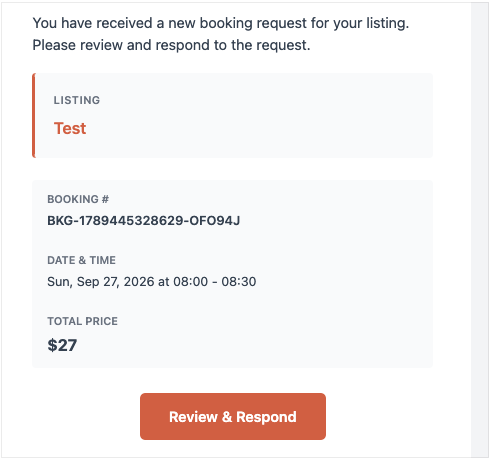
Email with booking request details
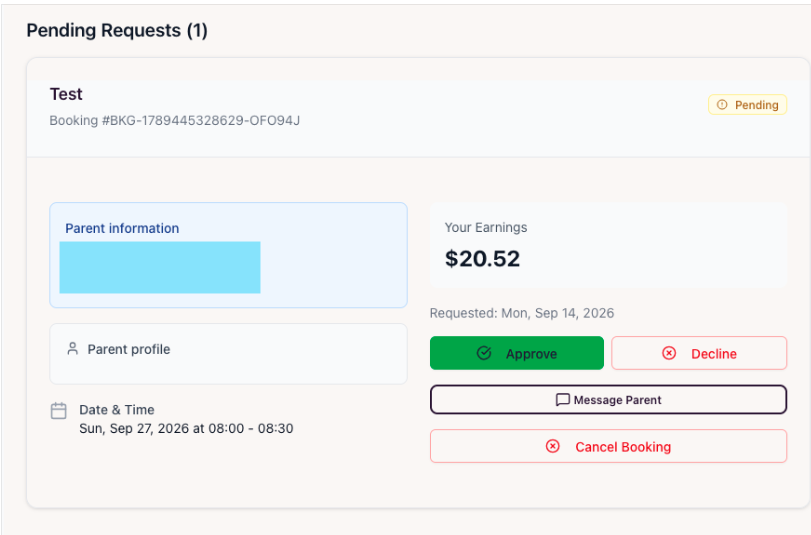
Pending lesson request on your dashboard
About Our Company
Rescheduling
If you need to reschedule a lesson you can do so on the dashboard. After clicking the reschedule button you can select a new date/time for the lesson, add a message for the parent, and make the change. The client will receive an email confirmation/notification. This should only be used after such a change was communicated via messages with the client. It can be used if you or the client want to reschedule for any reason and both agree to the change. This will have no effect on payment already made. If a parent requests to reschedule from their account you will first have to accept but any reschedule changes made by the coach go through instantly.
You as the coach are also able to reschedule a session after its original ending time. This is helpful if there was an emergency that resulted in the lesson not being delivered. We encourage you to work with your client to reschedule this way so that you avoid losing the Stripe processing fee during a refund.
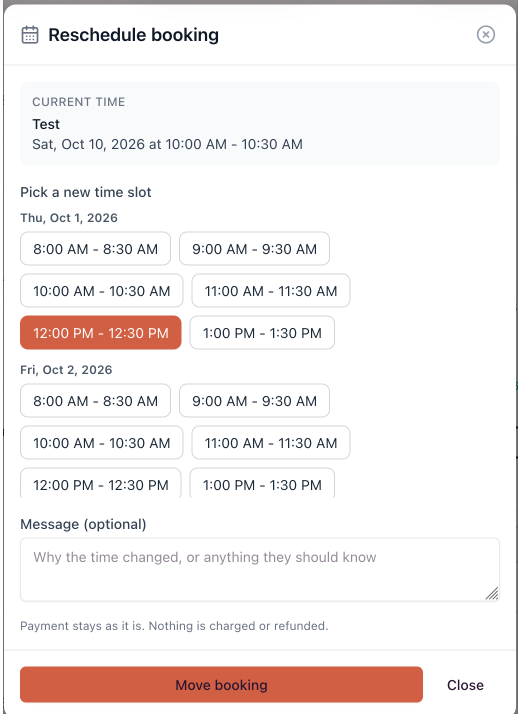
Rescheduling a lesson as a coach.
About Our Company
Cancelling a Lesson
If you for any reason you need to fully cancel the lesson you can do so on the dashboard. The customer will be automatically refunded and your earnings will be removed for the session.
Refunding a Lesson
Alternatively, in the same place you are able to send a refund to the customer without cancelling the lesson. For example, this lets you refund part of a lesson like 50%.
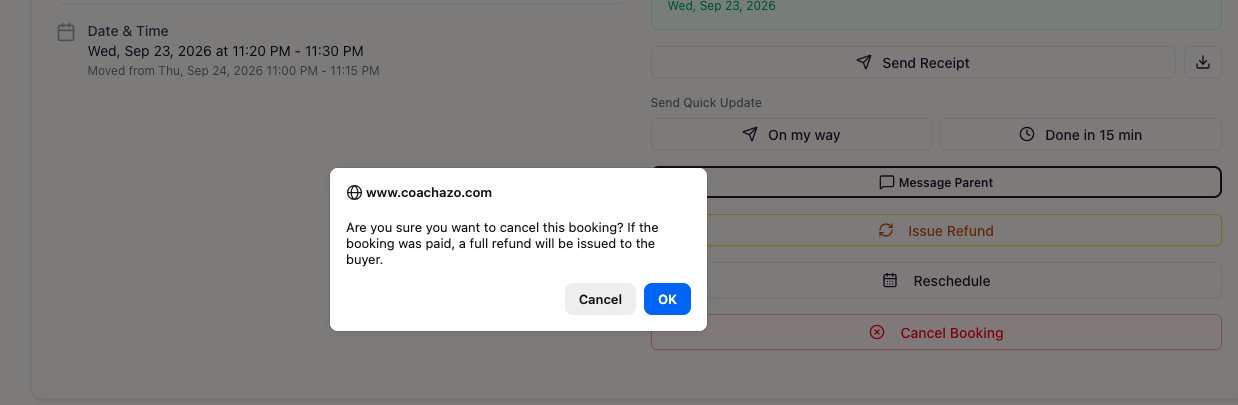
Cancelling a lesson as a coach.
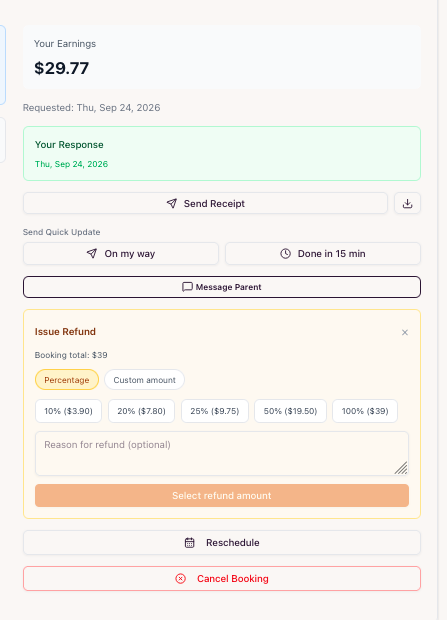
Providing a customer refund